Connect Garo charger to KotiCharge
Follow these instructions to connect your Garo Entity Pro charging station to KotiCharge by transferring the management ownership via the Garo Connect app.
Locations & Access
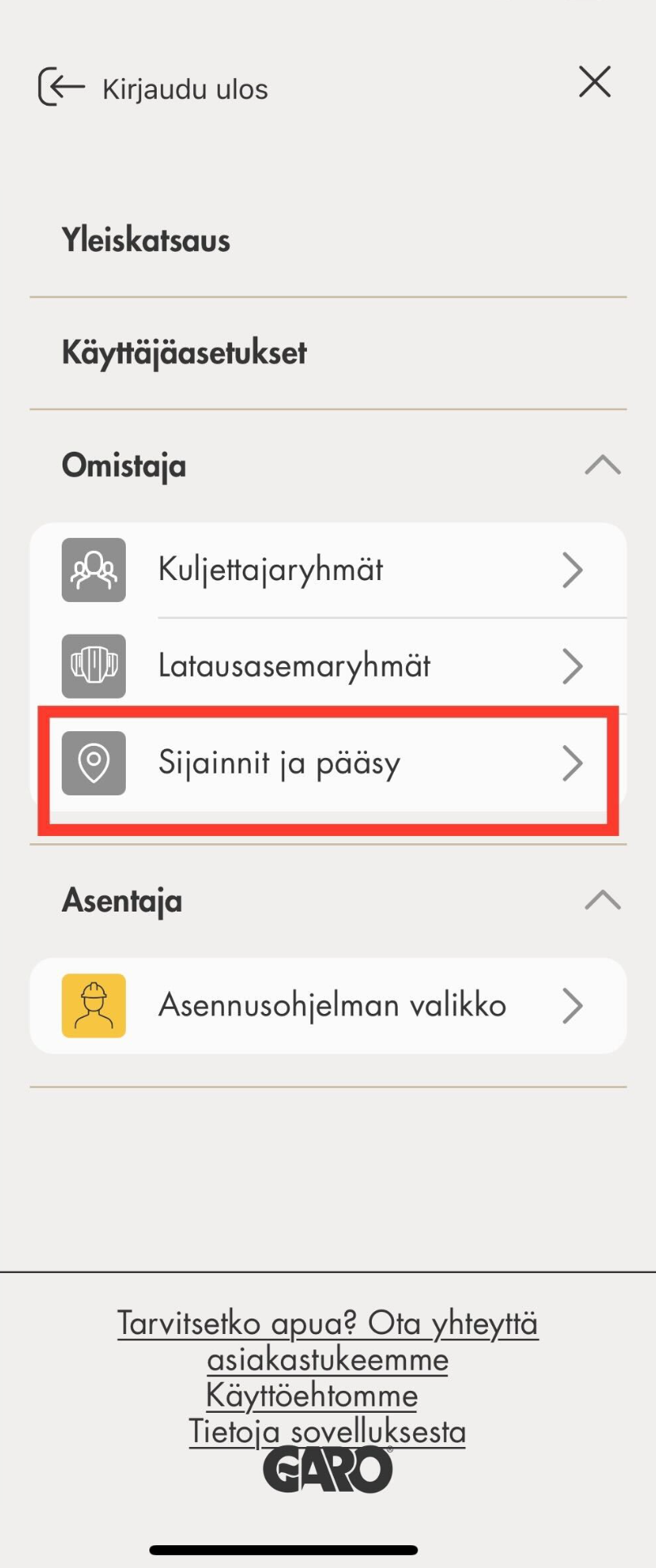
Open the Garo Connect app on your smartphone. Open the menu from the top right corner and select Locations and access.
Open settings
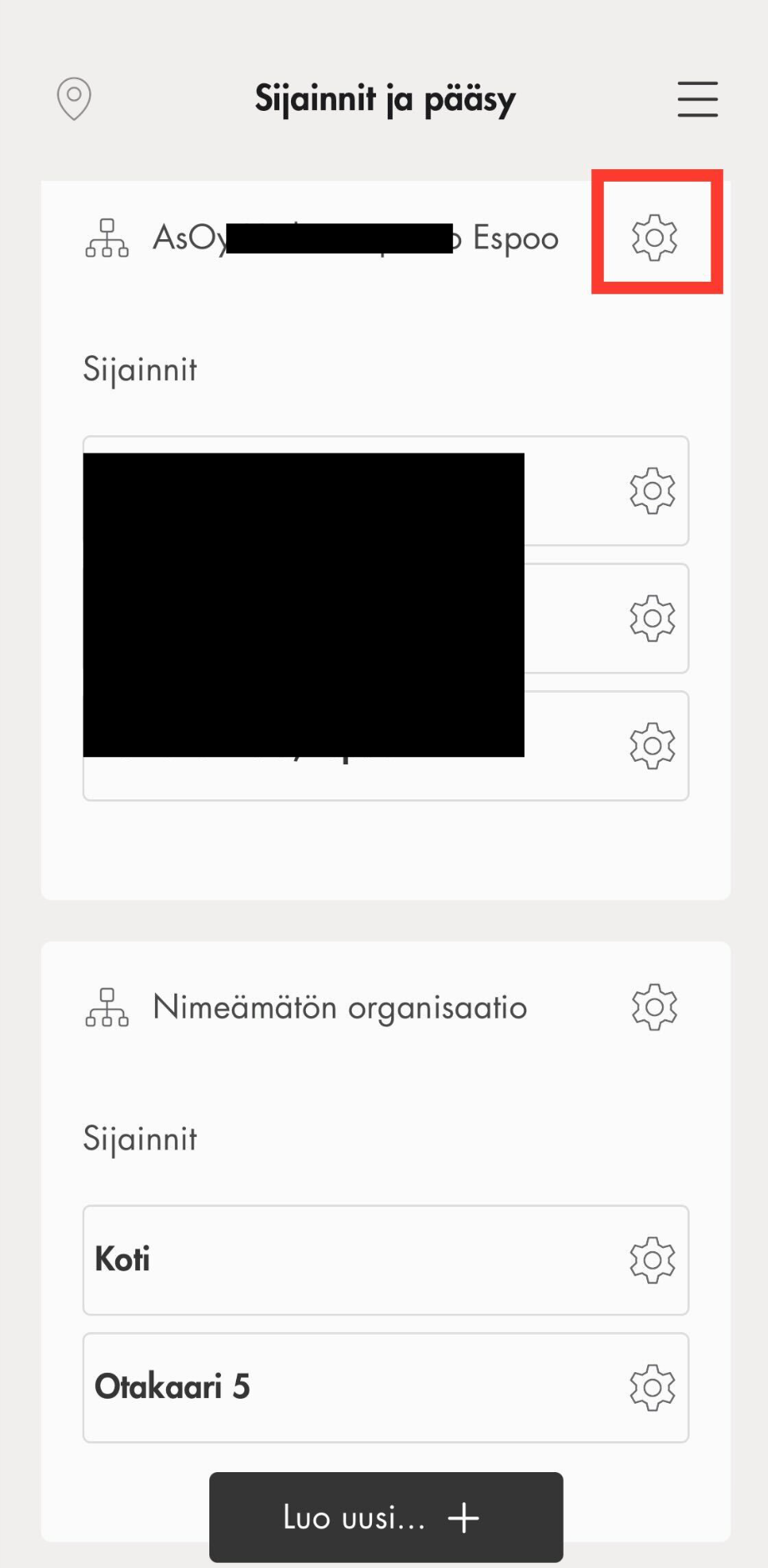
Select the gear icon next to the location you want to connect.
Manage ownership
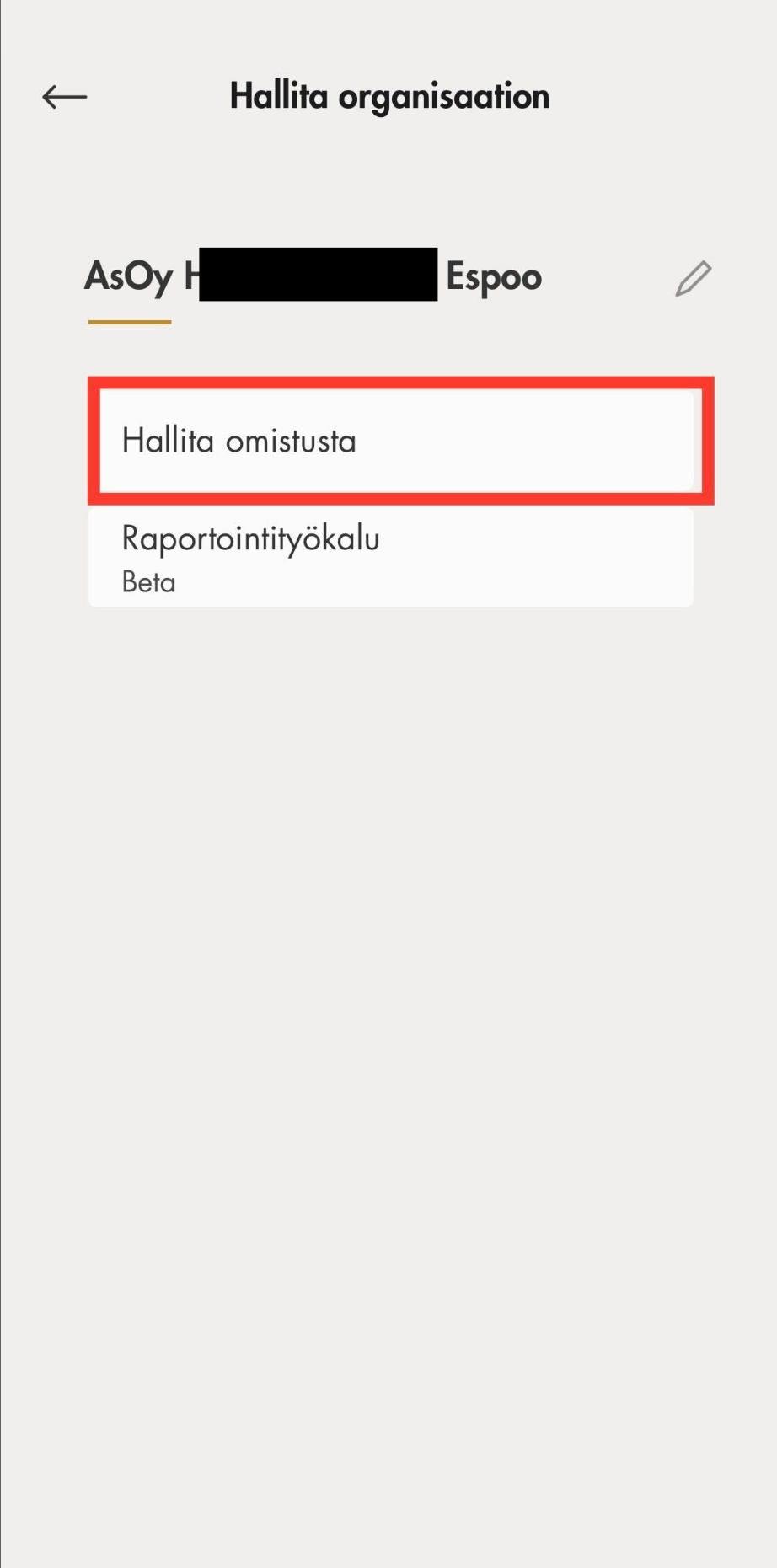
From the location settings menu, select Manage ownership.
Send invitation
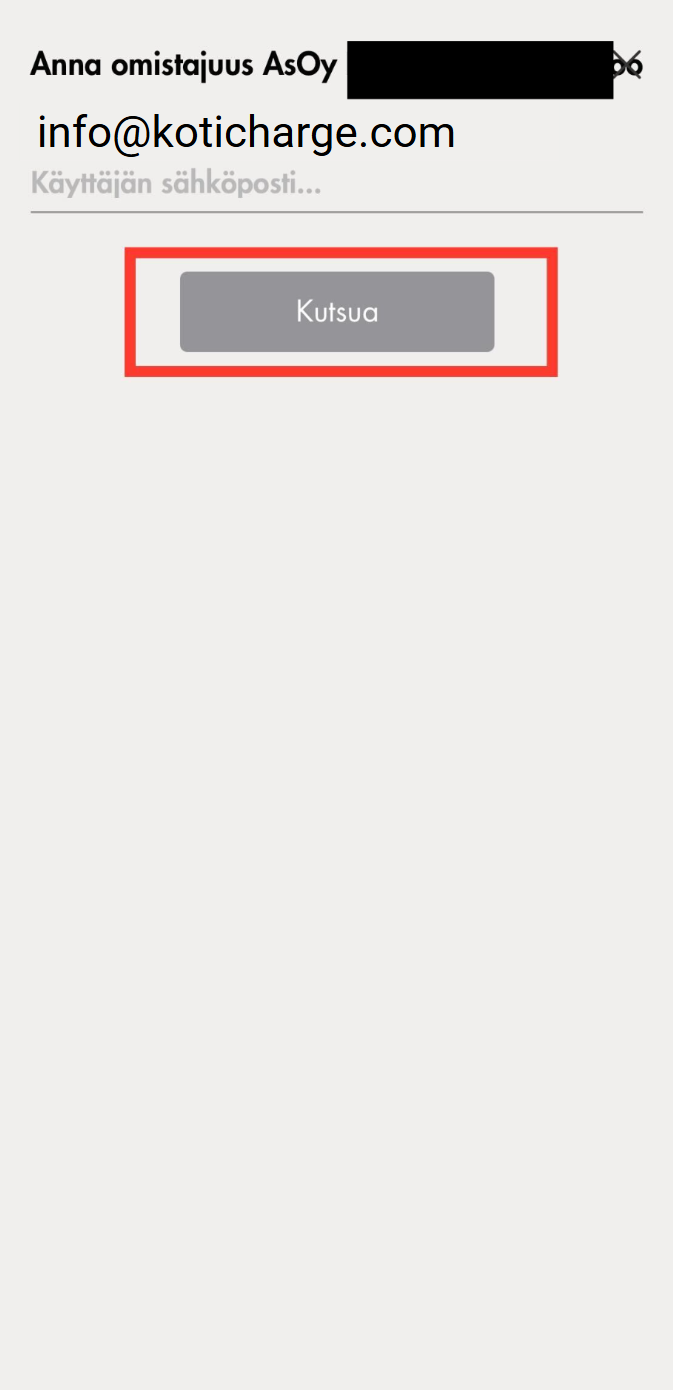
Select e-mail and enter KotiCharge's address:
info@koticharge.com Then tap Send Invitation.
Notify KotiCharge
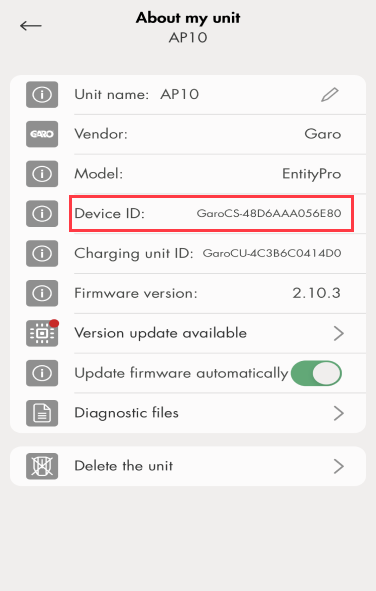
Finally, locate the charger ID (usually visible in the app as shown below) and notify KotiCharge. You can do this, for example, by filling out the contract form on our website.
Please note that at this point your charger is not yet connected to KotiCharge, but is waiting for our approval. KotiCharge will notify you when the chargers are ready for use.