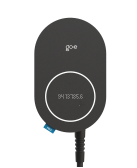
Connect go-e to KotiCharge
Follow these instructions to connect your go-e charger to the KotiCharge operator backend using the go-e app.
1
Check prerequisites
- Ensure that the charger is connected to the internet.
- Ensure that authentication is always required to start charging. If the charger has an option to start charging without authentication (free charging), it must be disabled.
2
Configuration
Enable the OCPP protocol in the go-e app:
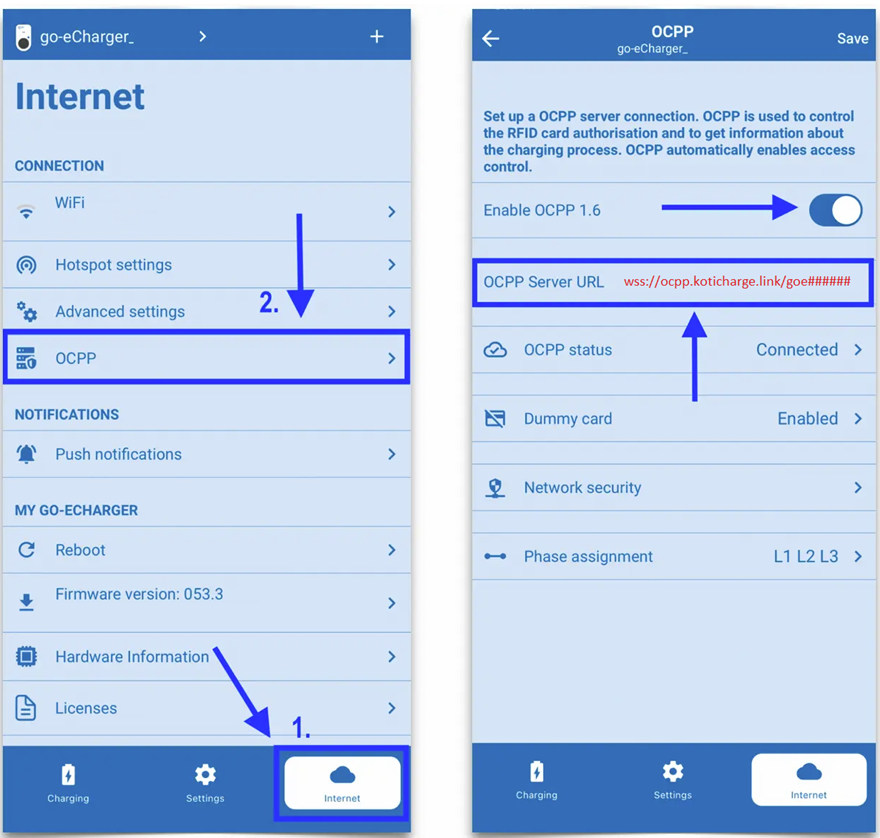
- Open the go-e app. Go to the Internet tab and open OCPP.
- Enable OCPP 1.6 using the toggle switch.
Change the OCPP server URL to:
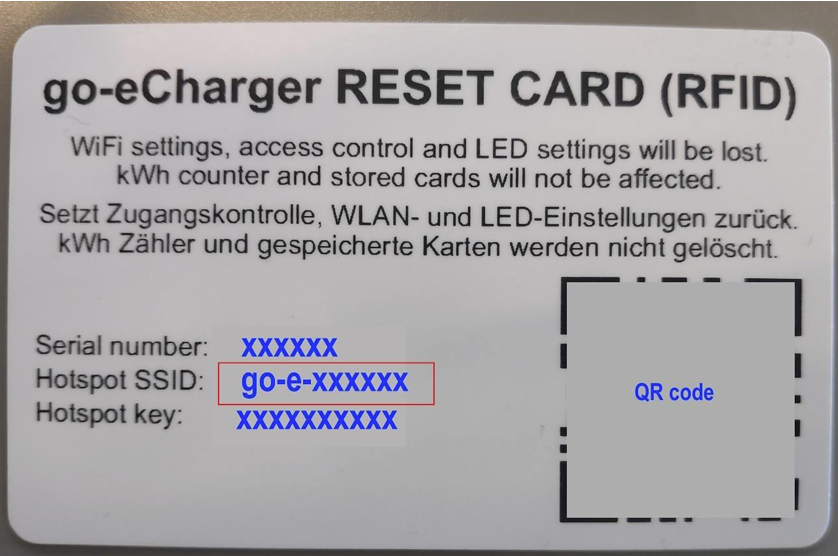
wss://ocpp.koticharge.link/goe###### Note: The numbers (######) must match the numbers in your Hotspot SSID without the dash. For example, if the Wi-Fi is go-e-123456, the URL suffix should be goe123456.
3
For Electricians
Call KotiCharge for Testing
Call KotiCharge to inform us of your charger's ID (the goe##### numbers from the URL) so we can activate it in our system and perform a charging test.
Charger setup is only complete once the charging test has been performed successfully. Please do not leave the site before that.