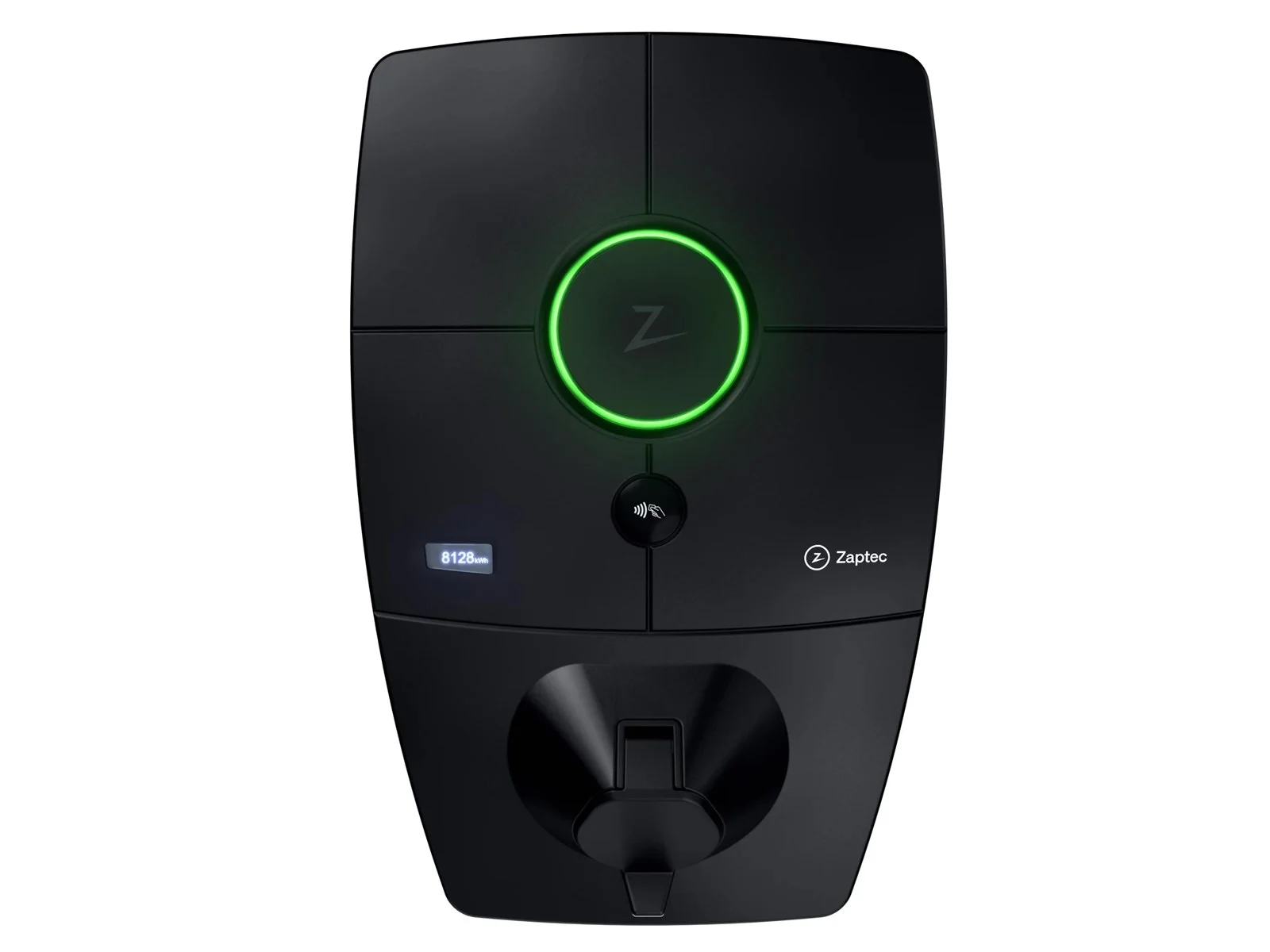
Connect Zaptec charger to KotiCharge
Zaptec Pro/Go charging stations can be connected to KotiCharge in two alternative ways: by granting us access to manage the device, or by connecting them yourself via the Zaptec Portal.
Method 1 Grant access to KotiCharge (Recommended)
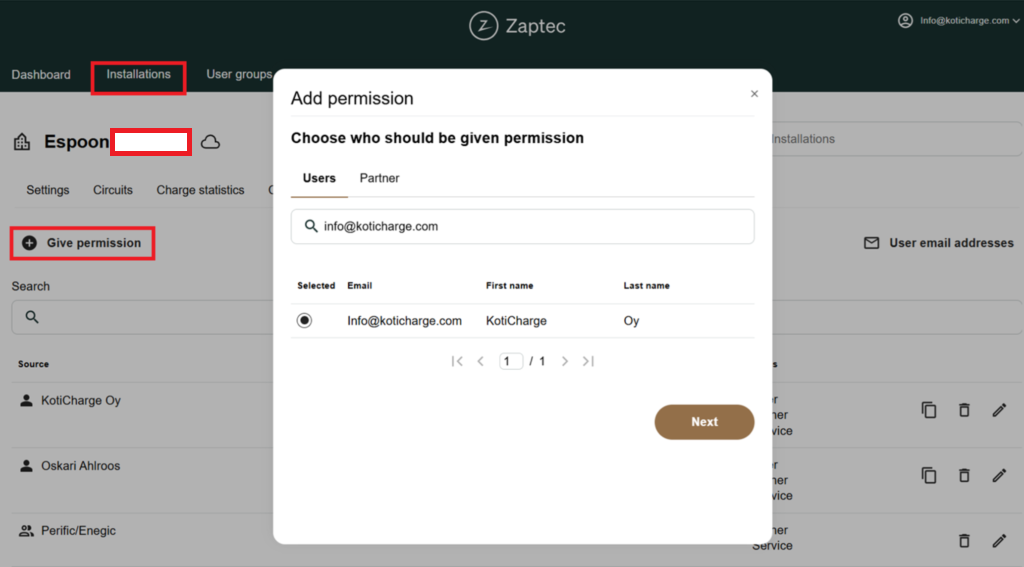
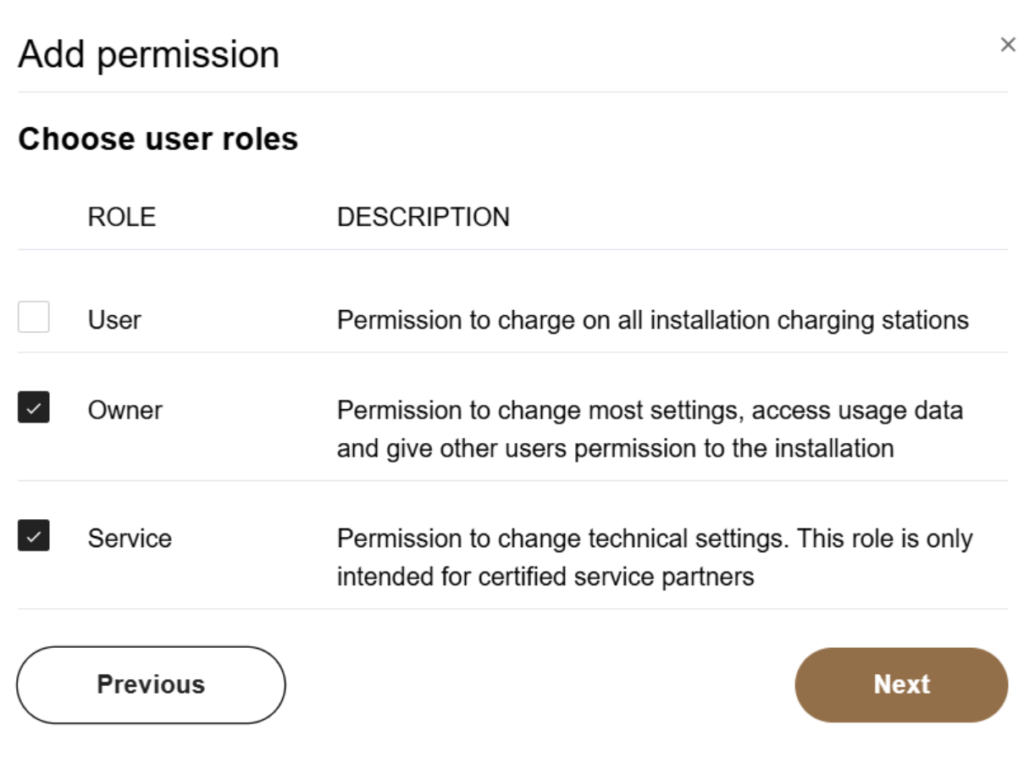
Log in to the Zaptec Portal and give permission to Koticharge Oy (info@koticharge.com) with Service role. We will handle the rest of the technical setup for you.
Method 2 Connect devices manually
Select your installation
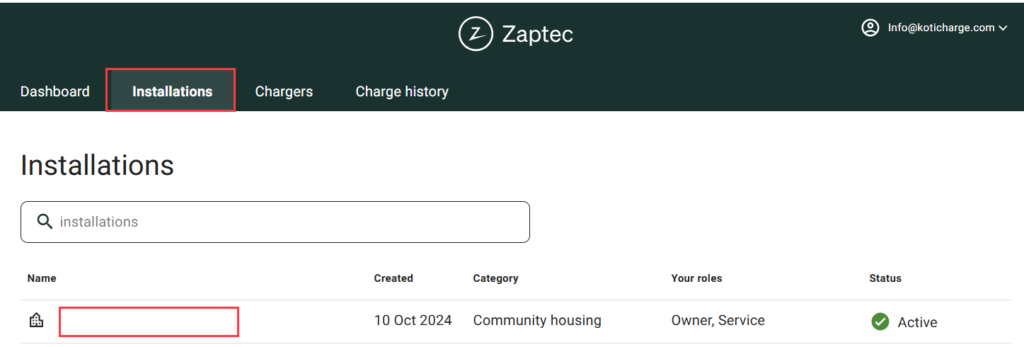
Log in to the Zaptec Portal. Select the Installations tab and choose your specific installation from the menu.
Go to Authentication settings
In the installation menu, select the Settings tab and then click on the Authentication tab.

Set the OCPP URL
Change the authentication method to OCPP-J 1.6, then enter the KotiCharge server address in the URL field exactly as follows:
wss://ocpp.koticharge.link:443/{deviceId} 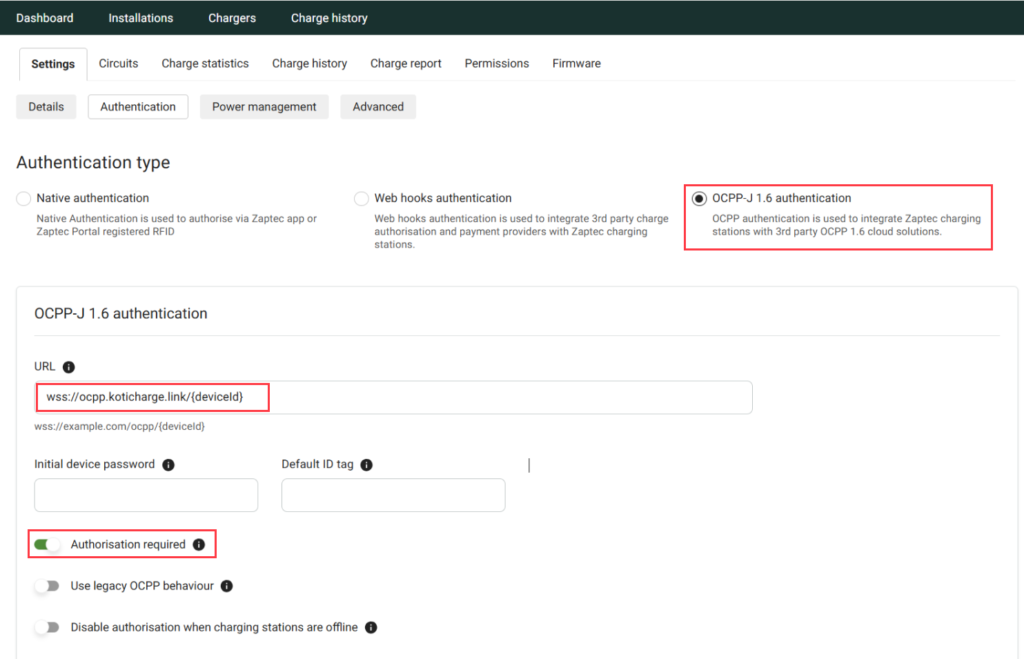
Require authorization
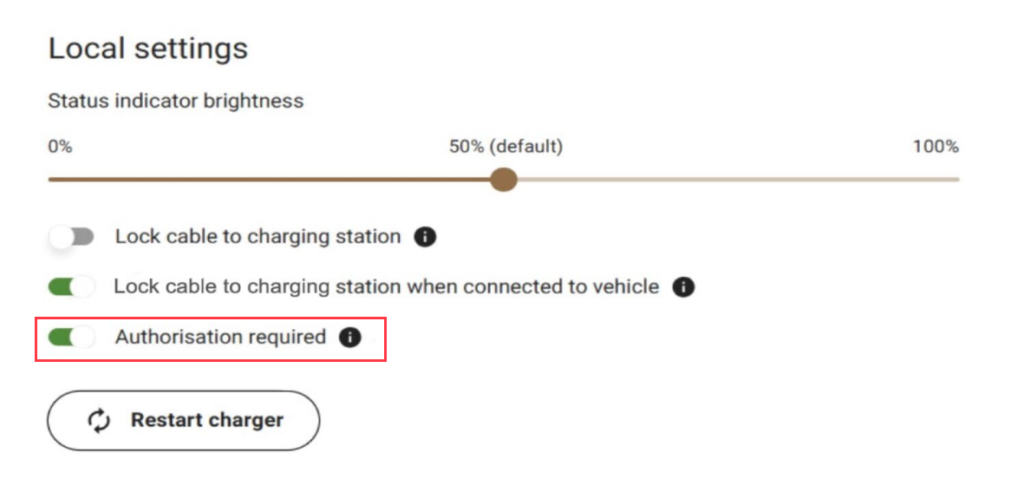
Go to your specific charger's settings and make sure that Authorization required is turned on. This ensures the charger waits for KotiCharge to approve the session.
Restart the charger
Press Restart charger to apply the new connection settings.
Notify KotiCharge
The setup is complete on the charger side. Finally, inform KotiCharge of your charger's ID so we can activate it in our system.
Contact KotiCharge